Let's understand the Operating system, The Operating system is a software in The computer that is used to interact with the Hardware. It is like the intermediate between the Hardware like CPU, Ram,etc and the User( the user can be one or many). The Main Goal of Operating Systems is provide convenience like Easy to use and To provide more throughput ( More tasks can be performed in each unit time) it means we need more Operating systems that has more throughput. In today's time the Windows operating system is the most used system by the User , most of the user prefer the windows OS rather than different operating system like Linux, MacOS ,etc. The windows OS has the different versions over the year that is provided different tasks to be performed more quickly at less time, the term batch Systems is used, the batch system is like system used in OS to differ the same task in different batches that helps the OS to do the task more quickly in batch system process. Let's understand the Operating system based on the different Generation.
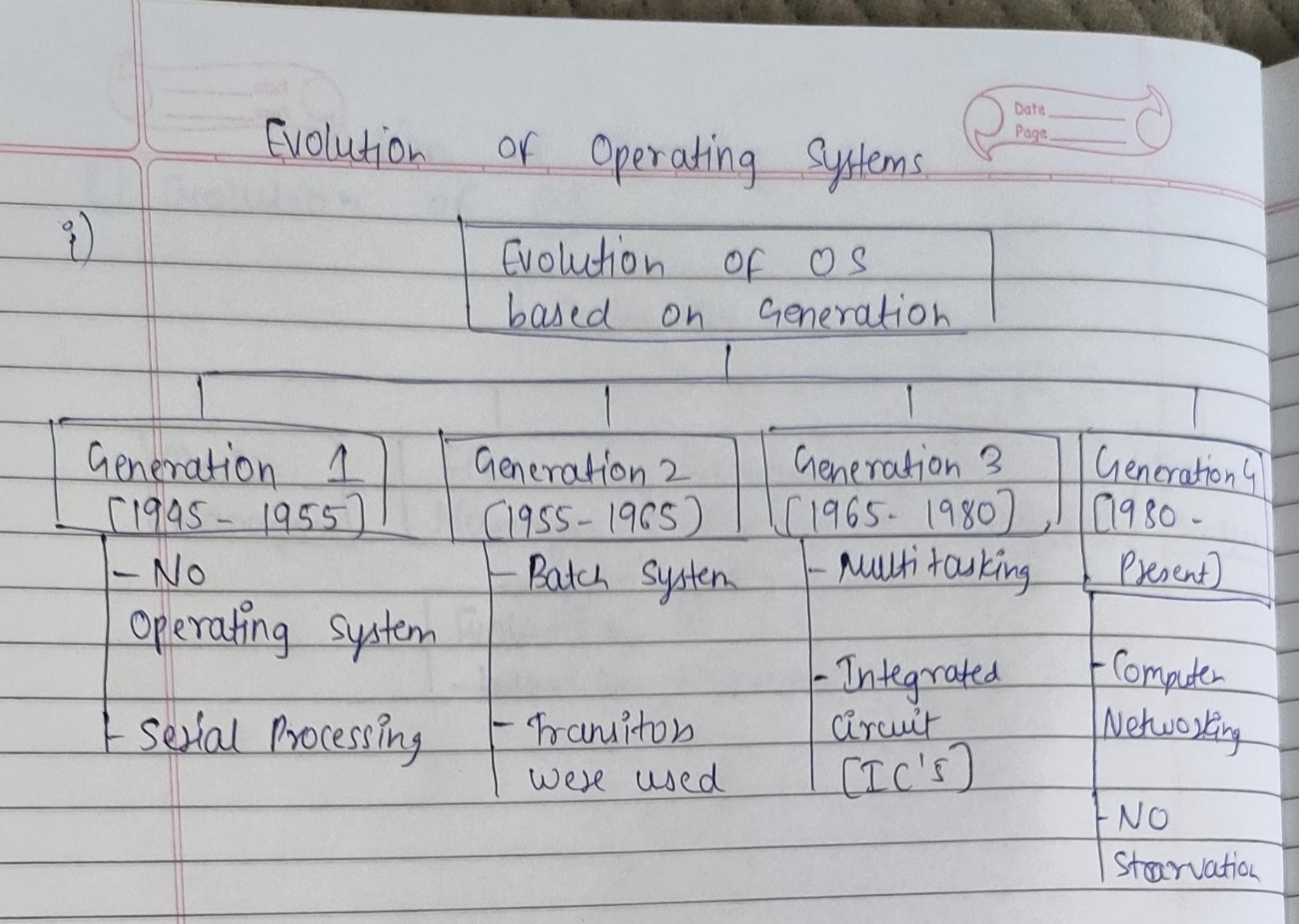
The 1st Generation (1945-1955) of OS has no operating system support but has the vaccum tubes and plugs are used in the Devices that leads to the each task takes more time to get performed, there is no protection of the data we can say and it consumes more electricity and generates lots of heat, the Process of serial processing is used like we can say each task will be performed one by one, the Machine language is used to communicate with the Hardware. The 2nd Generation (1955-1965) of OS has more upgraded features than the previous generation. Here the concept of Batch Systems were introduced like The programs tasks will be divided in batches that has similar task and will be performed easily by OS , The transitors came into action. If there is Input and Output operation is happening then the processors has to remain idle , the task will be stopped when we the I/O process is happening this is kind of the drawback of this Generation. The main highlight is that the Multitasking was firstly introduced in this Generation computer.
The 3rd Generation (1965-1980) of OS introduce the multiple programming and Multitasking facility with the Computer, the users can simultaneously work on the Same computer. The Concept of Online storage was also introduced, its says that The OS helps to store the Systems programs, data and libraries in the main memory,so that users can directly access it whenever it needed. The integrated Circuits(IC's) were used in the computers in this Generation. The concept of No starvation was introduced here, let's understand this with an example here if we have alloted like 5 task to the computer then it will not take the whole time to do only one task but it will start to do next task immediately when the 1st is at urge to get over.
The 4th Generation (1980 - till now) of OS , we have many upgrades till now in previous generation, but this is the Generation computer and OS we are using now the upgraded ones here, the Computer networking is introduced here so we can share the data among computer and connect the multiple computer in the same network.The Graphical User Interface(GUI) was introduced here, if we want to open the camera or any application we don't need to write any program to open this the Icon or Figure representation is there so we need to click the icon to open the application this is the GUI the Work of accessing the application is easy now. We can Easily use the CPU at its high capacity, it will perform high quality task more effectively like editing, gaming, etc. If the user has given some task to OS to get performed and suddenly it want's that the this task is important then The OS can stop the execution of previous and will do the High priority task First and will continue with Previous one. The evolving of Operating system has resulted in doing the our task faster with less equipment and time.