What are the objectives of operating system?
• To make the computer system convinent to use in an efficient manner.
• To manage the resources of a computer system.
• To provide users a convinent interface to use the computer system.
What are the functions of Operating system?
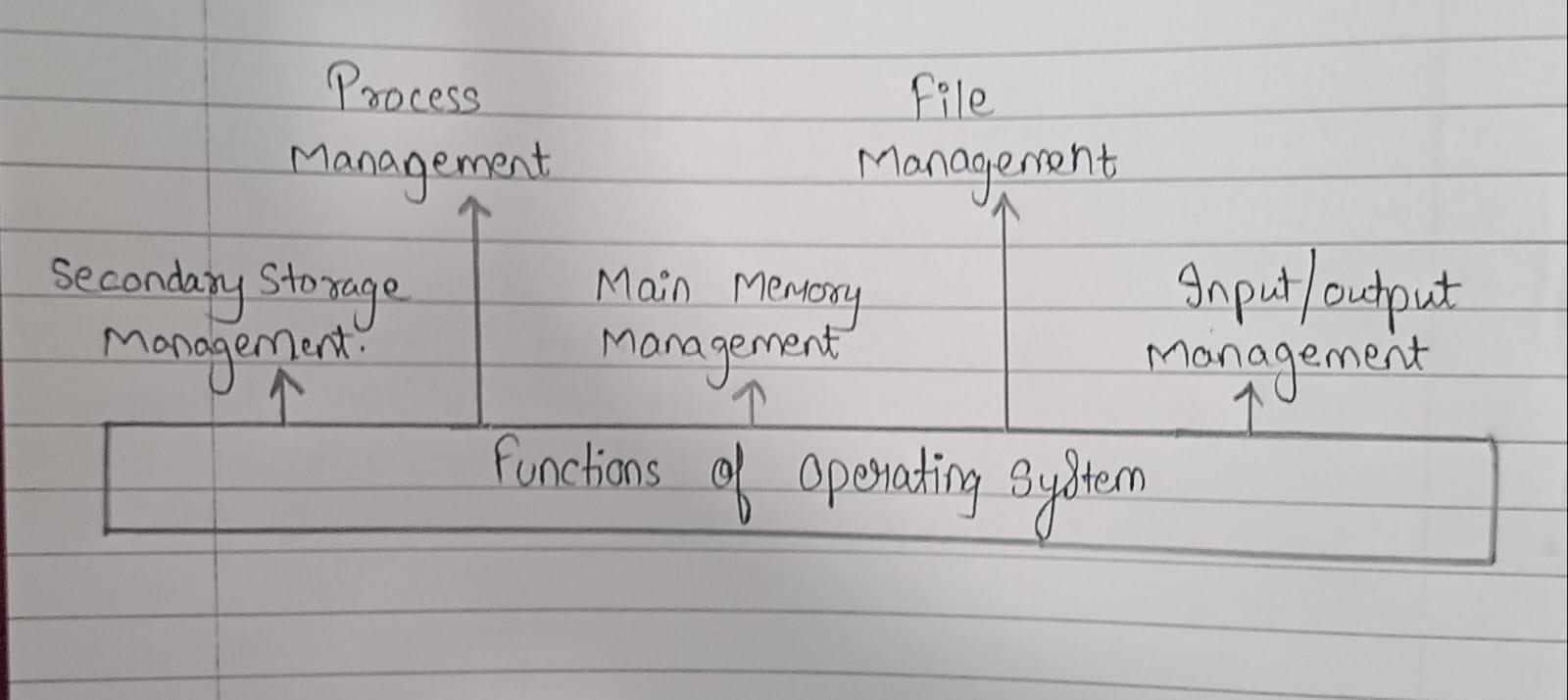
The operating system can be considered to be a collection of programs or services categorised under following heads:
1.) Process Management -- A process or application under execution is called as process. A process includes the execution context. A program gets executed in main memory. So it should be transferred from disk to memory. Activities Performed -- Creating and deleting both user and system processes, suspending and resuming processes, etc..
2.) Main Memory Management -- The services provided under Memory Management (MM) are directed to keeping track of memory and allocating it to various processes. The main memory is central to the operation a modern computer system. Main memory is a large array of words or bytes ranging in size from hundreds of thousands to billions. Each word or byte has its own address. Main memory is a storage of quickly accessible data stored by the CPU and I/O devices. Activities Performed -- keeping track of which parts of memory are currently being used and by whom, allocating and deallocating memory space as needed.
3.) File Management -- A file is a collection of related information defined by its user. The data cannot be written directly to secondary storage unless they are within a file. Processes can then read information from the file. Activities Performed -- file security, maintain backup of files, creation and deletion of files and directories.
4.) I/O Management -- As we know that I/O is one of the main functions of an operating system and is used to control the entire computer's input output devices. Basically it should have to issue commands to the devices, catch interruptes and handle errors. It includes storage devices (disks, tapes), transmission devices (network cards, modems), and human interface devices (screen, keyboard, mouse).
5.) Secondary Storage Management -- The main purpose of a computer system is to execute programs. Those programs with the data they access must be in main memory or primary storage during execution. Since main memory is too small to accommodate all data and programs and because the data that it holds are lost when power is lost i.e they are volatile, hence system is provided secondary Storage to backup main memory. Most modern computer systems use disks as the online storage medium, for both programs and data. Most program includes compilers, assemblers, sort routines, editors are stored on a disk until loaded into memory and then use the disk as both the source and destination of their processing.