What is computer forensics?
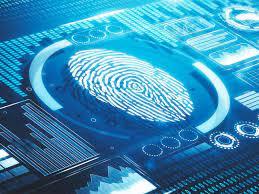
Computer Forensics is a scientific method of investigation and analysis in order to gather evidence from digital devices or computer networks and components which is suitable for presentation in a court of law or legal body. It involves performing a structured investigation while maintaining a documented chain of evidence to find out exactly what happened on a computer and who was responsible for it.
What is Graphics?
Computer Graphics is the creation of pictures with the help of a computer. The end product of the computer graphics is a picture it may be a business graph, drawing, and engineering.
Bitmap and Raster Images
Bitmap images store graphics information as grids of pixels, short for “picture elements.” Raster images are also collections of pixels, but they store pixels in rows to make images easy to print. In most cases, printing an image converts, or rasterizes, it to print pixels line by line instead of processing the complete collection of pixels.
A bitmap’s image quality on a monitor is governed by resolution, which determines the amount of detail that’s displayed. Resolution is related to the density of pixels onscreen and depends on a combination of hardware and software. Monitors can display a range of resolutions; the higher the resolution, the sharper the image. Computers also use a video card containing a certain amount of memory for displaying images. The more advanced the video card’s electronics and the more memory it has, the more detailed instructions it can accept, resulting in higher-quality images.
Vector Graphics
Making use of sequential commands or mathematical statements or programs which place lines or shapes in a 2-D or 3-D environment is referred to as Vector Graphics. Vector graphics are best for printing since it is composed of a series of mathematical curves. As a result vector graphics print crisply even when they are enlarged. In physics: A vector is something that has a magnitude and direction.
Metafile Graphics
Metafile graphics combine raster and vector graphics and can have the characteristics of both file types. For example, if you scan a photograph (a bitmap image) and then add text or arrows (vector drawings), you create a metafile graphic. Although metafile graphics have the features of both bitmap and vector files, they share the limitations of both. For example, if you enlarge a metafile graphic, the area created with a bitmap loses some resolution, but the vector-formatted area remains sharp and clear.
Digital Camera File Formats
Digital cameras’ popularity has had quite an impact on computer forensics because witnesses or suspects can create their own digital photos. As a computer forensics investigator, you might need to examine a digital photo created by a witness to an accident.
Examining the Raw File Format
Referred to as a digital negative, the raw file format is typically used on many higher-end digital cameras. The camera performs no enhancement processing—hence the term “raw” for this format. Sensors in the digital camera simply record pixels on the camera’s memory card. The advantage of this format is that it maintains the best picture quality.
Data Compression
Most graphics file formats, including GIF and JPEG, compress data to save disk space and reduce the file’s transmission time. Other formats, such as BMP, rarely compress data or do so inefficiently. In this case, you can use compression tools to compact data and reduce file size. Data compression is the process of coding data from a larger form to a smaller form. Graphics files and most compression tools use one of two data compression schemes: lossless or lossy.
Steganography in Graphics Files
Steganography has been used since ancient times. Greek rulers used this technique to send covert messages to diplomats and troops via messengers. To protect the message’s privacy, rulers shaved their messengers’ heads and tattooed messages on their scalps. After their hair grew enough to cover the message, the messengers left for their destinations, where they shaved their heads so that recipients could read the message. This method was a clever way to send and retrieve encrypted information, but it was inefficient because the messengers’ hair took a long time to grow back, and only a limited amount of space was available to write messages. However, it enabled the Greeks to send secret messages until their enemies discovered this early form of steganography and began intercepting messengers.
Steganalysis
You can use several different steganalysis tools to detect, decode, and record hidden data, even in files that have been renamed to protect their contents. If you suspect steganography has been used, search the suspect device for evidence of installed steganalysis tools.
Copyright Issues with Graphics
Steganography has also been used to protect copyrighted material by inserting digital water marks into a file. When working with graphics files, computer investigators need to be aware of copyright laws, especially in the corporate environment, where they often work closely with the legal department to guard against copyright violations. Investigators might also need to Understanding Copyright Issues with Graphics determine whether a photo is from a known copyrighted source, such as a news photo being posted on a Web page without permission.
Features of Watermarking
Conclusion
Computer forensic analysis of graphics involves the examination and interpretation of digital images, videos, and graphical data to gather evidence for legal or investigative purposes. Through various techniques and tools, forensic analysts scrutinize these graphics to uncover information related to crimes, frauds, or security breaches.
References