File management is an essential function of an operating system (OS) that involves the handling, organization, storage, retrieval, naming, sharing, and protection of files on a computer. Here are the key aspects of file management in an OS:
1. File Systems
- Definition: A file system is a method used by the OS to manage and organize files on storage devices like hard drives, SSDs, USB drives, etc.
- Types: Common file systems include NTFS (Windows), ext4 (Linux), HFS+ (Mac), and FAT32 (cross-platform).
2. File Operations
- Creation: The OS allows users to create new files.
- Deletion: Users can delete files, which removes them from the storage device.
- Modification: Files can be edited, updated, or modified.
- Reading: Files can be opened and read.
- Renaming: Files can be renamed for better identification.
-Copying and Moving: Files can be copied to other locations or moved within the storage system.
3. File Organization
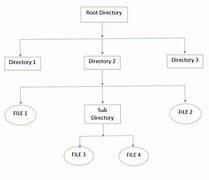
- Directories/Folders: Files are organized into directories (or folders), which can contain files and other directories, forming a hierarchical structure.
- Paths: Files are accessed through paths, which can be absolute (from the root directory) or relative (from the current directory).
4. File Attributes
- Metadata: Files have attributes such as name, type, size, creation date, modification date, permissions, etc.
- Permissions: Defines who can read, write, or execute a file (e.g., read-only, read-write).
5. File Access Methods
- Sequential Access: Files are accessed in a linear order.
- Direct (Random) Access: Files can be accessed at any point without reading the previous data.
- Indexed Access: Uses an index to keep track of where data is stored, allowing for faster access.
6. File Security and Protection
- Access Control: The OS manages file security through permissions and user authentication, restricting unauthorized access.
- Encryption: Files can be encrypted to protect data from unauthorized access.
7. File Sharing
- Local Sharing: Allows multiple users on the same system to access files.
- Network Sharing: Files can be shared over a network, allowing remote access.
8. File System Maintenance
- Defragmentation: Reorganizing data on a disk to improve access speed.
- Disk Cleanup: Removing unnecessary files to free up space.
- File System Check: Checking and repairing file system errors.
9. Storage Management
- Space Allocation: Managing the allocation of disk space for files and directories.
- Quota Management: Limiting the amount of disk space a user or process can use.
10. Backup and Recovery
- Backup:Creating copies of files for data preservation and recovery.
- Recovery: Restoring lost or corrupted files from backups.
File management in an OS ensures that data is stored efficiently, securely, and is easily retrievable, which is crucial for the overall performance and usability of the system.