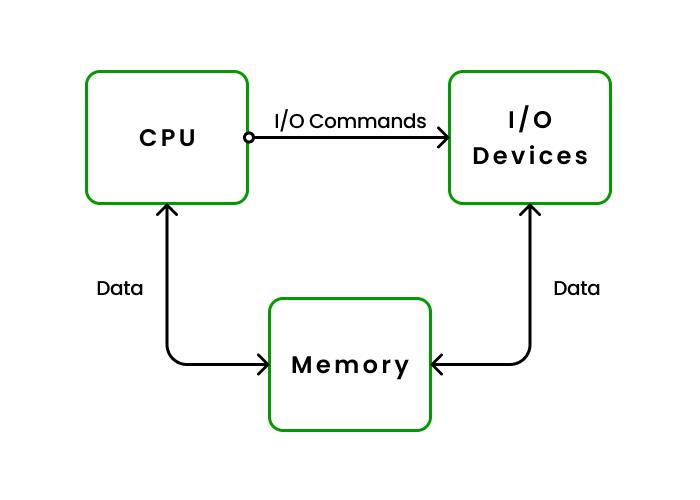
In an Operating System (OS), I/O (Input/Output) refers to the communication between the computer and the external world, such as with devices like keyboards, mice, printers, displays, and storage drives. The operating system manages this interaction to ensure that data can be transferred between the CPU and these I/O devices efficiently.
Key Points about I/O in an OS:
- I/O Devices: These include:
- Input devices: Keyboard, mouse, scanner.
- Output devices: Monitor, printer, speakers.
- Storage devices: Hard disks, USB drives, SSDs
- I/O Operations:
- Input: When data is sent to the computer, like pressing a key or clicking the mouse.
- Output: When data is sent from the computer, like displaying something on the screen or printing a document.
- I/O Controller: Each device has its own I/O controller that interprets the signals between the device and the computer.
- Device Drivers: These are special programs that allow the OS to communicate with hardware devices. They translate general OS instructions into specific commands for the hardware.
- Interrupts: When an I/O operation is completed (e.g., a file is written), the device can send an interrupt to inform the CPU, so it knows the operation is done.
- Buffering: Data is often stored temporarily in a buffer while it’s being transferred between the CPU and an I/O device to handle speed differences between them.