Security researchers from ESET have discovered a new Android ransomware that not just encrypts users’ data, but also locks them out of their devices by changing lock screen PIN. DoubleLocker is the first-ever ransomware to misuse Android accessibility—a feature that provides users alternative ways to interact with their smartphone devices, and mainly misused by Android banking Trojans to steal banking credentials.
"Given its banking malware roots, DoubleLocker may well be turned into what could be called ransom-bankers," said Lukáš Štefanko, the malware researcher at ESET.
"Two-stage malware that first tries to wipe your bank or PayPal account and subsequently locks your device and data to request a ransom."
The DoubleLocker hack is a threat to any Android device; it's particularly worrying since it doesn't require a "rooted" phone that gives extra access for the hacker to run its own code, but the effect is severe — locking the user completely out of their own device.
The ransomware is distributed through fake Adobe Flash Player downloads shared on compromised websites and it installs itself once you give it accessibility access through the "Google Play Service." After obtaining this accessibility permission, the malware abuses it to gain device's administrator rights and sets itself as a default home application (the launcher)—all without the user's knowledge.
"Setting itself as a default home app – a launcher – is a trick that improves the malware's persistence," explains Štefanko.
"Whenever the user clicks on the home button, the ransomware gets activated, and the device gets locked again. Thanks to using the accessibility service, the user does not know that they launch malware by hitting Home."
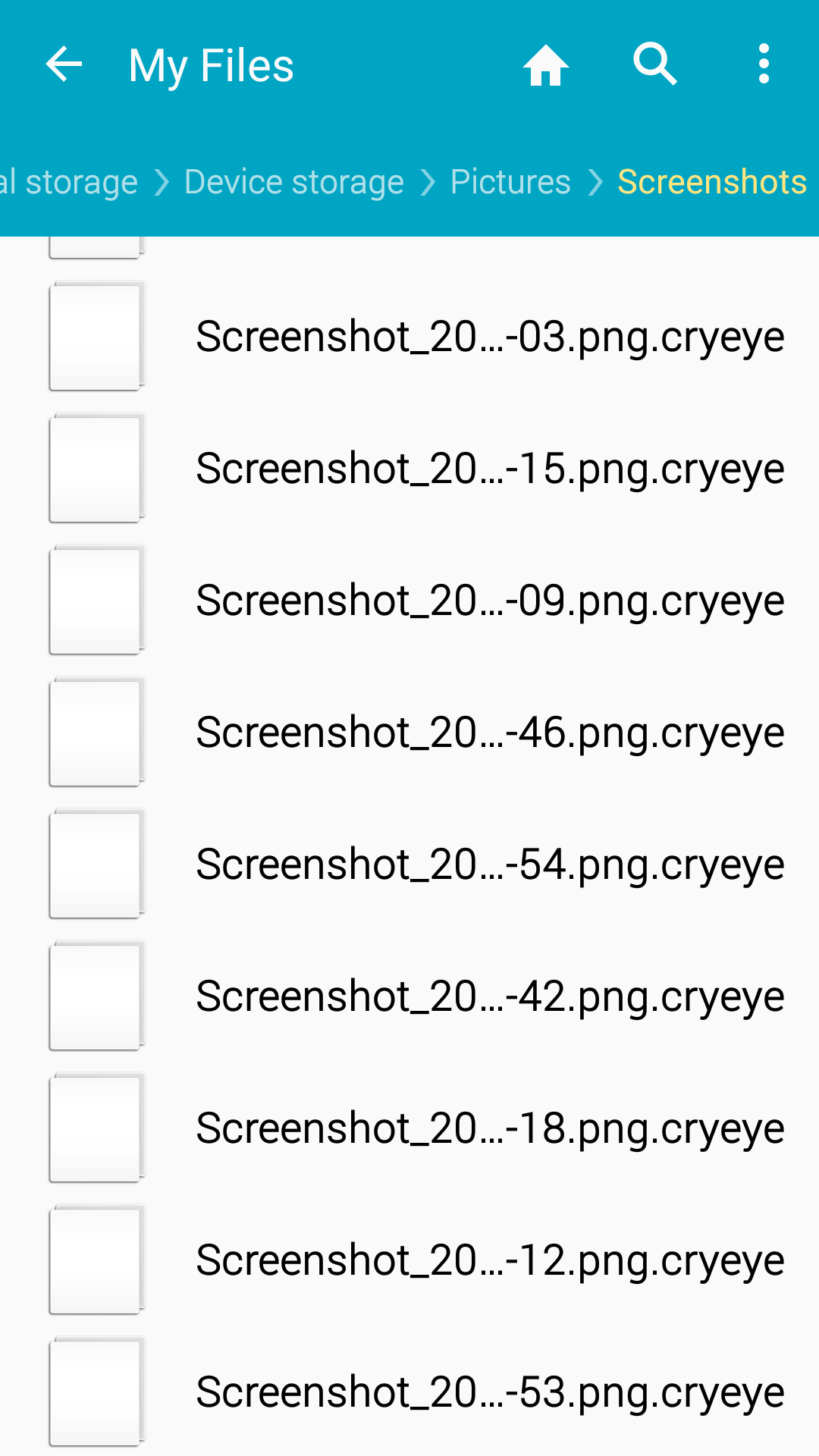
Once executed, DoubleLocker first changes the device PIN to a random value that neither attacker knows nor stored anywhere and meanwhile the malware encrypts all the files using AES encryption algorithm.You'll know your files are infected if you see a ".cryeye" extension at the end of the file.DoubleLocker ransomware demands 0.0130 BTC (approximately ₹ 4828.68 /- at time of writing) and threatens victims to pay the ransom within 24 hours.
If the ransom is paid, the attacker provides the decryption key to unlock the files and remotely resets the PIN to unlock the victim's device.
Here's How the DoubleLocker Ransomware Works:
How to Protect Yourself From DoubleLocker Ransomware
According to the researchers, so far there is no way to unlock encrypted files, though, for non-rooted devices, users can factory-reset their phone to unlock the phone and get rid of the DoubleLocker ransomware.However, for rooted Android devices with debugging mode enabled, victims can use Android Debug Bridge (ADB) tool to reset PIN without formatting their phones.The best way to protect yourself from avoiding falling victims to such ransomware attacks is to always download apps from trusted sources, like Google play Store, and stick to verified developers.Also, never click on links provided in SMS or emails. Even if the email looks legit, go directly to the website of origin and verify any possible updates.Moreover, most importantly, keep a good antivirus app on your smartphone that can detect and block such malware before it can infect your device, and always keep it and other apps up-to-date.
Found it Interesting? Got Something to ask??
Feel free to comment it below.Stay Secure ! Stay Happy !!For more CyberSec Blogs :- CLICK HERE

 DoubleLocker ransomware demands 0.0130 BTC (approximately ₹ 4828.68 /- at time of writing) and threatens victims to pay the ransom within 24 hours.