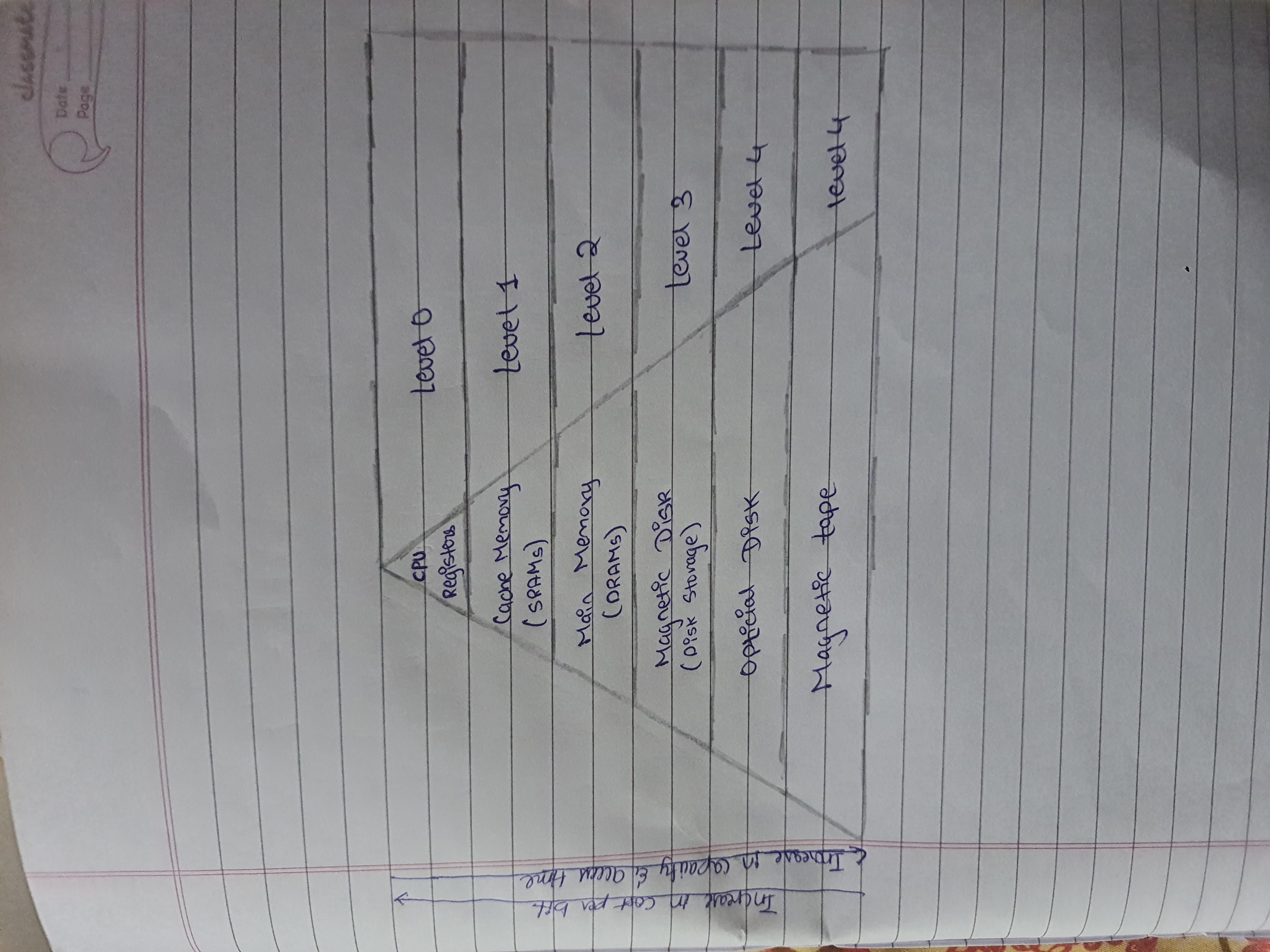
In Computer System, Memory hierarchy is a way to organize different type of memory (eg cache,RAM,hard drive) to reduce the time it takes to access data. It is one of the most required thing in computer memory, as it will help in optimizing memory available in computer. There aee multiple levels in memory hierarchy, understanding the memory hierarchy in computer architecture involves memory, USB, hard disk and tape drives.Each having different size,access time,speed etc. Memory like cache and main memory are the faster as compared to other type of memory. CPU cost varies with regusters being the cheapest and tape drives being the most expensive. Access time increases as you move from registers to cache, main memory, USB,hard disk and tape drives. As access time increases speed decreases and cost rises. Each level serves a different purpose in storing and accessing data. Size and access time are crucial factors in memory hierarchy.The frequency of access varies across memory level, with registers being the most frequently accessed due to their direct connection with CPU.
1. Registers
Registers are small, high-speed memory units located in the CPU. They are used to store the most frequently used data and instructions.
2. Cache Memory
Cache memory is a small, fast memory unit located close to the CPU. It stores frequently used data and instructions that have been recently accessed from the main memory.
3. Main Memory
Main memory, also known as RAM (Random Access Memory), is the primary memory of a computer system. It has a larger storage capacity than cache memory, but it is slower.
4. Secondary Storage
Secondary storage, such as hard disk drives (HDD) and solid-state drives (SSD), is a non-volatile memory unit that has a larger storage capacity than main memory. It is used to store data and instructions that are not currently in use by the CPU.
5. Magnetic Disk
Magnetic Disks are simply circular plates that are fabricated with either a metal or a plastic or a magnetized material.
6. Magnetic Tape
Magnetic Tape is simply a magnetic recording device that is covered with a plastic film. It is generally used for the backup of data.