Booting:
Booting is the process of starting the computer. This can be done using hardware such as the button or some software by writing some command.When the computer is switched on there is no software into the CPU's main memory. Booting is complete when the operating syatem and some applications are achieved.
There are two types of Booting:
1. Cold Booting: It involves starting the computer from completely powered off state
2. Warm Booting: It refers to restarting the computer without fully powering it off, which means that computer goes into shorter boot process since some components such as power supply and memory remains powered. to load that software into the main memory, there are some processes.
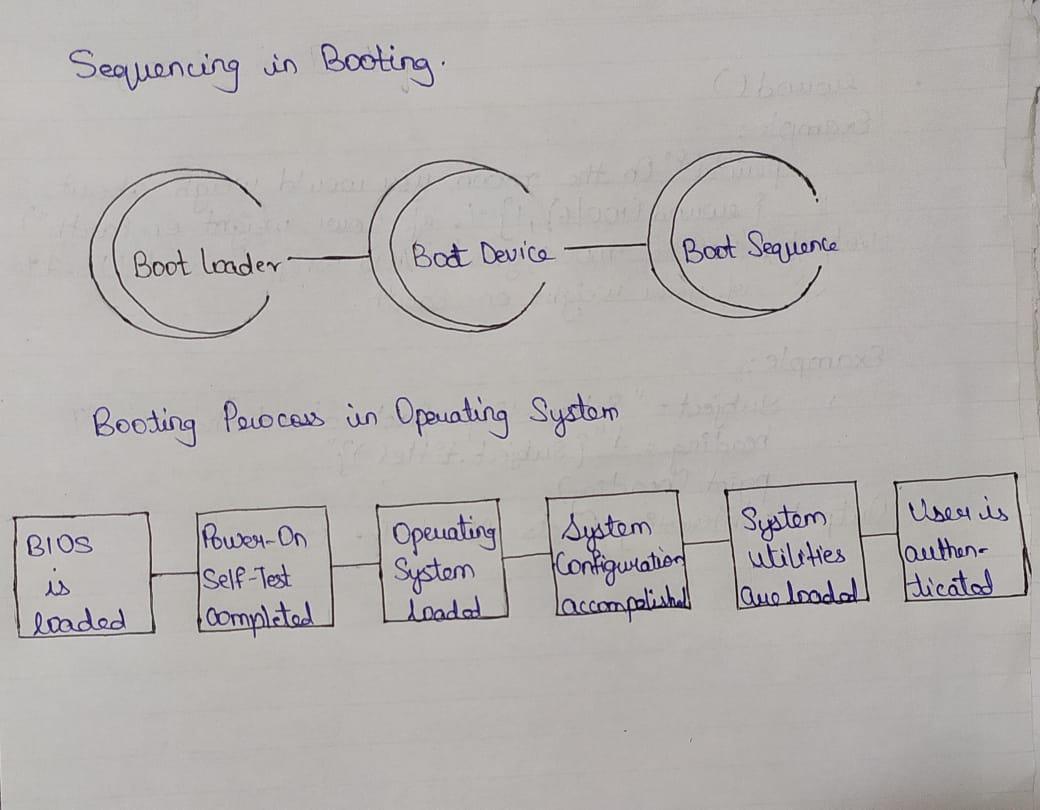
Sequencing of Booting:
It is the initial sequence of operation that the computer performs once it is switched on.
i. Boot Loader: It is a small piece of program that is loaded and run once the computer is switched on. It provides an interface for the user to load an operating system and applications. It places the operating system into the memory.
ii. Boot device: These are the devices from which the operating system is loaded. BIOS supports booting from hard disk drive, floppy drive, network interface card and a USB drive.
iii. Boot sequence: Boot sequence refers to the specific order in which a computer’s hardware components are initialized during the boot process. This order is determined by computers BIOS.
There are some process to load the software into the main memory. below are the six steps to describe boot proces in operating system:
step 1: Once the computer is switched on, the BIOS perform the series of activities, called on POST(Power-on Self-Test) to check whether the peripherals are ready.
step 2: BIOS read the bootable sequence from CMOS (Common Metal Oxide Semiconductor) and looks for the master boot reacord specified in the boot device sequence specified in CMOS. Example, boot device sequence is:
Floppy disk
Hard disk
CDROM
step 3: Each of the boot device will serach for the master boot record. If system cannot find the from any of theses sources then the ROM will display "No Boot Device Found". On finding the master boot record, the boot loader is loaded from the boot sector into the memory.
step 4: The boot loader first loads the IO.SYS file an then file which the core file of the DOS operating system.
step 5: MSDOS.SYS file searches to find Command Interpreter in CONFIG.SYS file, and when it finds, it loads into memory. If no Command Interpreter is specified in the CONFIG.SYS file, the COMMAND.COM file is loaded as the default Command Interpreter of the DOS operating system.
step 6: The last file is to be loaded and executed is the AUTOEXEC.BAT file that contains a sequence of DOS commands. After this, the prompt is displayed. We can see the bootable drive displayed on the computer system, which indicates that the operating system has been successfully on the system from that drive.